One equation and one range variable
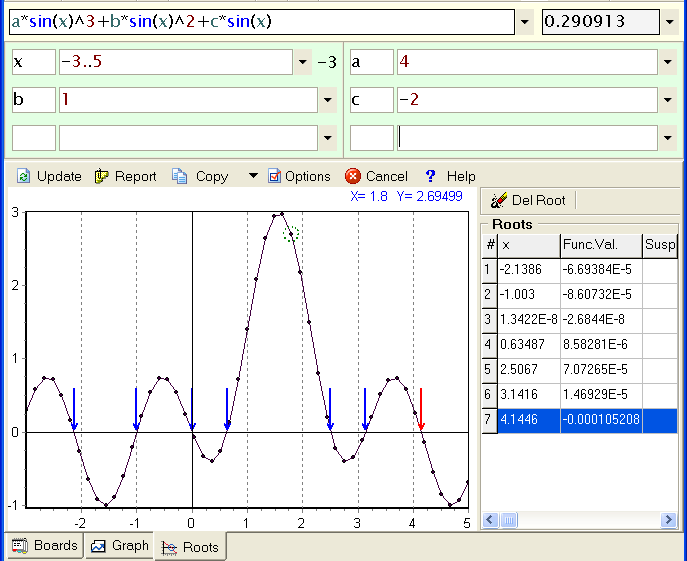
Write the function you wish to find roots for (right side must be 0), set a range for your x-axes variable and click Roots button.
You can manipulate the chart as you do in Graph module, but be careful, for example: if you zoom-in, change the function and click Update the new function graph could be out of sight (chart frame).
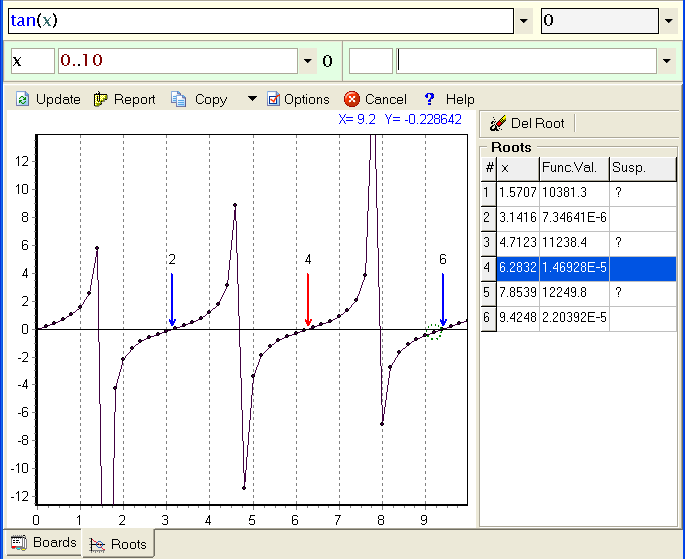
You can take a closer look to the chart where roots are marked with arrows. The arrow for the root selected from the table is colored in red and you can change the selected root by clicking on it. You will have the same result if you click on the arrow base (opposite side of the arrow head). If for some reason a root is out of charts frame Sicyon does not draw its arrow.
You can delete the selected root by clicking on the button below the table or recalculating all again by pressing the Update button.
You can stop the procedure either by Stop button or pressing Pause/Break keyboard button (right-top corner).
How it works
Sicyon finds the real roots in the defining variable interval with the desired precision. Sicyon can find as many roots as parts you have specified in the Options dialog.
As a matter of fact, Sicyon divides the definite variable interval into equal parts and seeks by one root into each part.
For each part the procedure executes two steps:
First, Sicyon seeks a sub-interval, which contains a root. If Sicyon finds it, the second step is executed, else Sicyon turns on the next sub-interval.
Second, if a sub-interval contains a root Sicyon specifies the root value until: either the desired precision is reached, i.e. the difference of results between two consecutive iterations becomes less than the precision value; or the number of iterations is exceeded. If the time of the procedure seems too long to you, you can limit the time of calculation either by changing maximum number of iterations or the precision from Options dialog (or interrupt by Esc).
Uni-sign roots
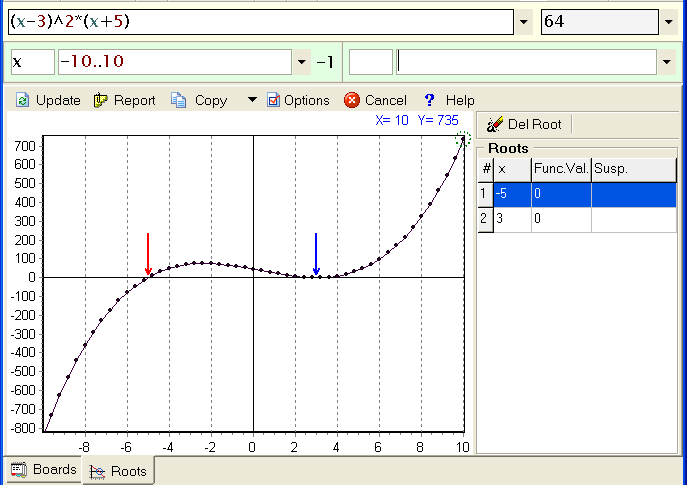
Sometimes function does not change sign in proximity of a root, in that case you use Extended search.
Sicyon first looks for roots around which the function change its sign, after that, if Extended search option is on, for the roots which are minimums or maximums with turn-around point close to x-axis. And so they are ordered in the table. That options will slow you down, but you gain versatility.
Suspicious roots
Root finding algorithm is purposed for continuous functions, and the smoother function is the better algorithm works. But sometimes the function changes sign, but in does not cross the abscissa (see the example).
Sicyon tries to recognize such "roots" on base of function value vs. overall function range and marks them with "?" in last column of result table.